SMS marketing for nonprofits & churches
Development directors, volunteer coordinators, and church administrators all need a reliable way to reach the people who have already agreed to hear from them. CampaignCNX+ sends the SMS (text messages) for a Giving Tuesday appeal, a Saturday food-drive roster, and a 6 a.m. weather cancellation, all on one platform with one consent record and one line item in the budget.

Definition
Nonprofit text messaging is SMS (plain text) or MMS (picture) messages sent from a phone number your organization controls, to people who agreed to hear from you at that number. Most of it is practical information rather than promotion. The most useful messages carry a detail the reader needs right away, for example that their shift starts at 8, that the ballfield is closed, that a matching gift expires at midnight, or a link that lets them give in eleven seconds.
Most organizations we talk to think of their contacts as one list, but in practice they have three:
The three groups overlap, and that overlap is where most nonprofit texting programs go wrong. When a volunteer who has never given receives a year-end appeal, or a major donor receives a request to cover a shift at the coat drive, the organization appears not to know who it is talking to. The platform keeps the programs separate when you write messages and combines them in reporting, which matches how a nonprofit actually operates.
Texting does not replace your newsletter or the personal call to a major donor. It handles the short messages that support both, such as reminders, confirmations, deadlines, and alerts. Use email to explain things, and use text to deliver a single fact while it is still useful.

What nonprofits send
In most organizations, these three programs share one contact database, but each has its own sending schedule, its own consent sources, and its own staff member reading the replies.
01: Donor engagement
Tag donors by the size of their last gift, and select the group that matters for a matching-gift window. Write the appeal with each donor's first name filled in and a giving link, check the recipient count and the total cost on the review screen, and then send. Progress updates ("we are at $8,500 of $10,000 with six hours left") go out as follow-ups to the same group, and people who have already given are removed from the follow-ups so they are not asked twice.
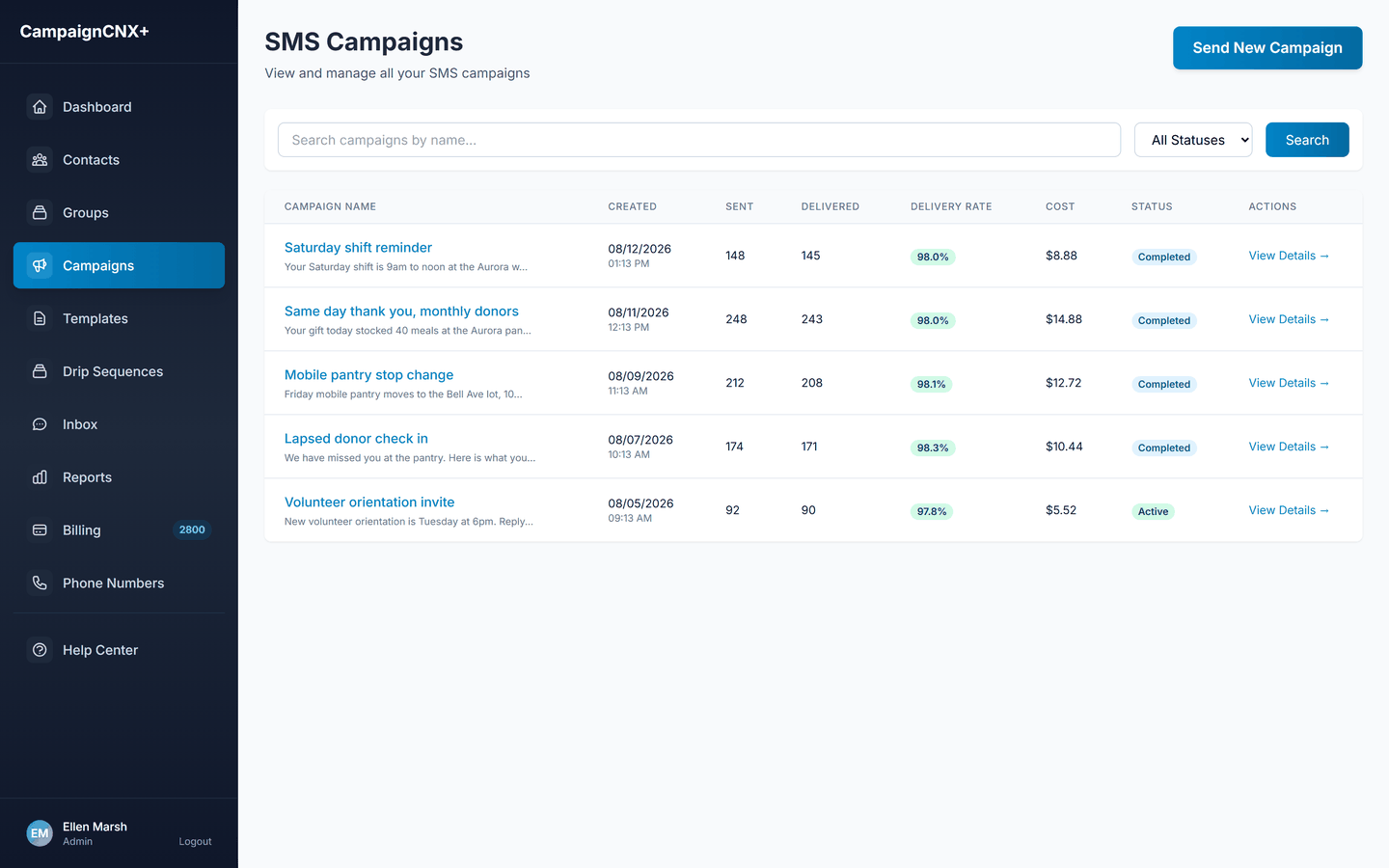
02: Volunteer coordination
Fill a last-minute gap by texting the roster with a YES or NO question instead of calling down a phone tree. Confirmations arrive in a two-way inbox the volunteer coordinator already checks, so the count in front of them is accurate. Shift reminders scheduled for the night before reduce no-shows without anyone staying late to make calls.
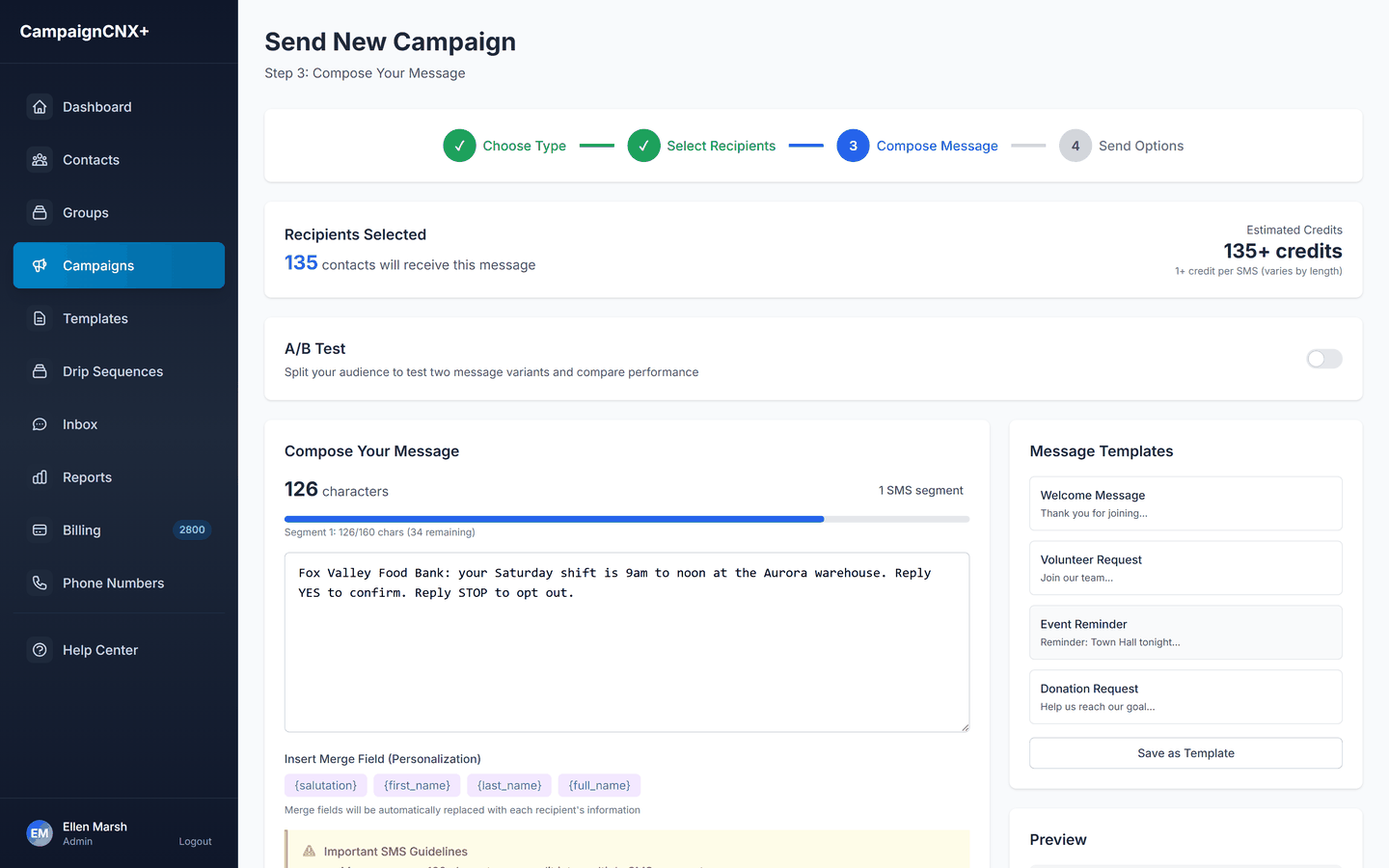
03: Community and member updates
The community list is a separate program with its own rules. For example, a snow-day cancellation goes out at 6 a.m. on Sunday, a prayer request goes only to the people who asked to be on that prayer chain, and an Easter service reminder goes to the full member list on the Thursday before. Everything runs on one account, with sub-lists that keep youth-group parents from receiving the men's breakfast reminder.

Start with one program
Choose a toll-free number and import one list. After the carriers (the phone companies, such as AT&T, Verizon and T-Mobile) verify the number, which takes about three business days, send a shift reminder or a small test to a few donors. You start with 100 free SMS, and your number is $5 a month.
Annual schedule
Nonprofit fundraising follows a calendar that changes very little from year to year. This helps, because you can plan the texting program backward from dates you already know. A common mistake is to use texting only in December. People who hear from you for the first time on November 30 do not recognize the number, so they opt out.
Matching-gift windows fall outside this calendar and can happen whenever a board member or a corporate partner offers to match gifts. They are the most productive time for a nonprofit to text, because they give a text everything it needs: a reason to give, a deadline, and a total that rises while people watch. Write the matching-gift message on the day the match is confirmed, rather than in the week it expires.
If you want examples of individual messages (what a donor appeal, a thank-you, an impact update, and a volunteer recruitment text each look like when written well), our guide to SMS marketing for nonprofits and churches covers donor, congregation, and volunteer messaging with examples you can adapt, so you do not have to start from a blank message.

Two kinds of messages
Every text your organization sends falls into one of two categories, and the balance between them determines whether people stay on your list through the year.
A practical test is to review everything the number has sent in the last six months and count how many messages asked for something. When every text is an appeal, people learn that a message from this number means a request for money, and they mute or block it. When an organization sends four useful messages for every appeal, people continue to read the appeals.
This distinction also matters for compliance. The consent someone gave, and the wording they agreed to, determine what you can send them. A person who opted in for "service reminders and closures" did not opt in for a capital campaign appeal. Your counsel can tell you where the legal line is, but the practical rule is simpler and stricter, which is to send people only what they signed up for. This approach also keeps opt-out and complaint rates low enough that the carriers continue to deliver your messages, so it has a business benefit as well as an ethical one.
Few organizations use texting to thank donors, although it works unusually well for that purpose. A gift receipt belongs in email. A thank-you sent forty minutes after the gift, from a person and with no link in it, belongs in a text, and it is the least expensive way a development office can keep donors giving. At $0.06 a message, thanking every donor who gave in December costs less than the postage on a single mailing to the same donors.

Thank before you ask
A thank-you sent forty minutes after the gift costs $0.06 and does more to encourage renewal than another December message. Test the template on your staff and board first. The trial includes 100 free SMS, and your number is $5 a month.
| Consent and the record
The most important point is that a phone number in your donor database is not consent. The number tells you the donor gave you a way to reach them, usually so you could call about a gift. It does not establish that they agreed to receive automated text messages from your organization. The same is true of a number on a volunteer application, an event sign-in sheet, a pledge card, or a membership directory created before anyone considered texting.
Some nonprofits hear that the rules contain charitable exemptions and conclude that consent rules do not apply to them. A few narrow exemptions exist, but they are often quoted far beyond their actual scope. None of them permits texting a list that never agreed to be texted, and the legal risk of getting it wrong is the same regardless of your mission or budget. Treat this as the same compliance question every other sender faces, decide it with counsel before you import a list rather than after a complaint, and build your list forward from a clear starting date.
Fixing how you collect consent takes about a week of work. Add plain SMS opt-in language to the giving form, the event registration, the volunteer application, the newsletter signup, and the membership card, stating who will text the person and about what. After that, every contact record stores its opt-in source, the time of consent, and the wording the person agreed to. Together, these records form your audit trail.
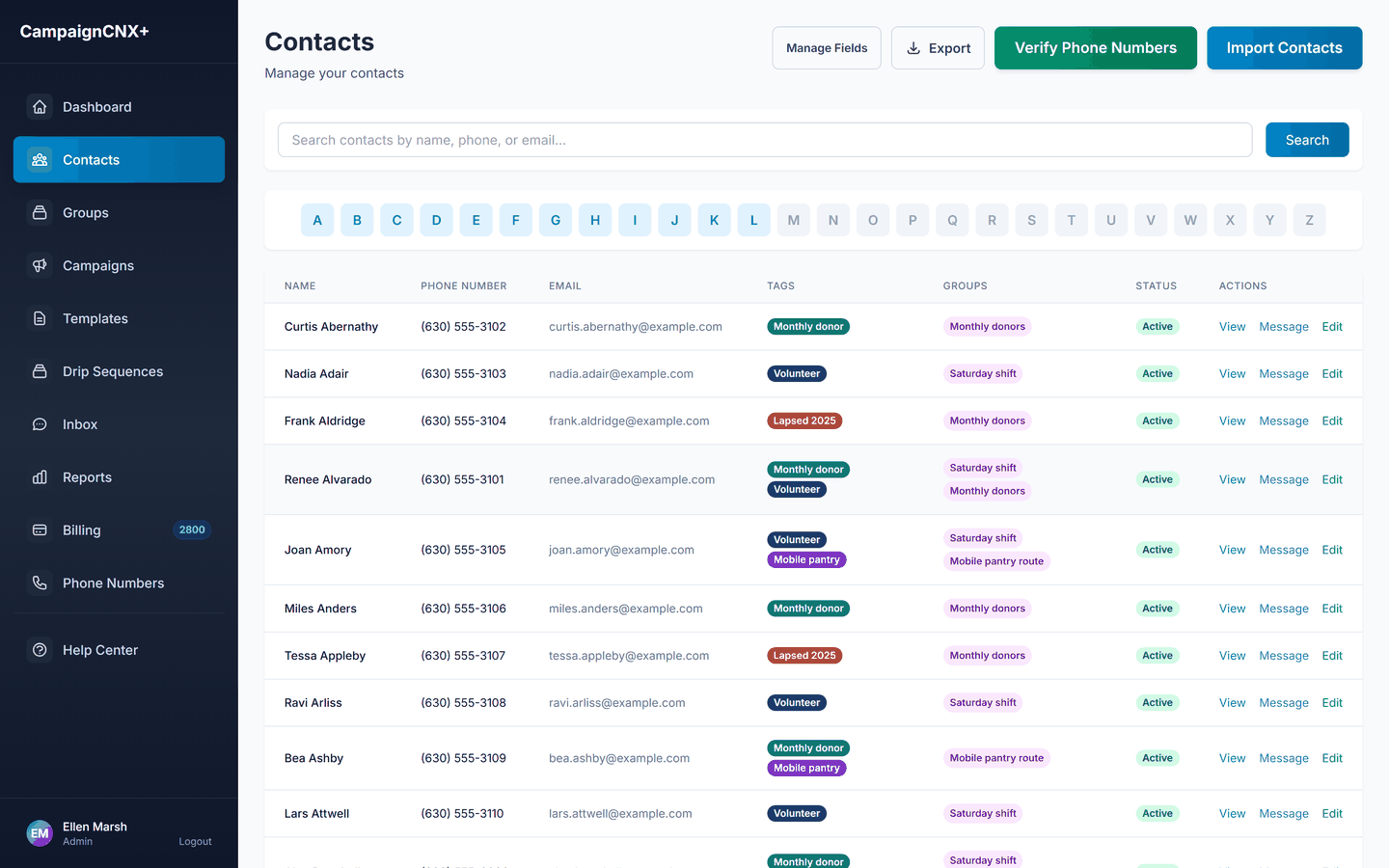
Two situations come up often. The first is a list you did not build, such as a list bought from a vendor, rented, swapped with a partner organization, or handed over by a fiscal sponsor or a merging affiliate. Consent given to another organization does not transfer to yours, even if both organizations are charities. The second is board and staff numbers added "just for testing" that later become part of a send list without anyone noticing. Ask board members and staff for consent the same way you would ask anyone else.
Volunteers are the group most often skipped, on the assumption that someone who signed up for a shift wants shift texts. That is usually true, but it is still worth asking in one line on the application, because volunteers come and go, and the roster you are texting in March may have been collected by someone who left in November. To see how the platform enforces the federal consent rules (the TCPA) on every send, the TCPA-compliant texting page covers consent, opt-out handling, quiet hours, and the audit trail in detail.
TCPA compliance for nonprofit SMS
/01
Every contact record stores where its opt-in came from. Imported donors, keyword opt-ins, and form submissions are logged with the date and time for the audit trail.
/02
We honor opt-outs immediately across every campaign on the account, not per list. STOP, UNSUBSCRIBE and the other standard opt-out words all work, and the opt-out is recorded permanently.
/03
Nonprofit senders register for 10DLC in the same way as any other organization, with a one-time $75 carrier fee. A toll-free number is verified in about three business days, and you can send from it while the carriers review your 10DLC registration.
/04
Sending hours follow each contact's time zone, so a message scheduled in one office does not wake a supporter two time zones to the west.
| Volunteer operations
Nonprofits often underestimate volunteer coordination by text, and then come to rely on it. A common situation is that forty people sign up, six of them forget, and the coordinator finds out at 8:05 on Saturday morning. A reminder sent the evening before, with the shift time and the address, prevents most of those no-shows for a few dollars a month.
An effective reminder program has three parts. First, send the reminder close enough to the shift that people remember it, but early enough that you can still fill gaps, which in practice means the evening before rather than the morning of. Second, ask for a reply, because a YES is a confirmation you can count and a NO gives you four hours of notice instead of none. Third, assign someone to the inbox, because a roster text produces real replies, such as "running late", "can I bring my kid", "I moved", or "take me off this list".
These replies matter. A volunteer who texts back is still engaged, and the conversation should go to a coordinator rather than sit in a shared inbox that no one is responsible for. That is the purpose of two-way texting, which is included on the Enterprise plan and available on the others.
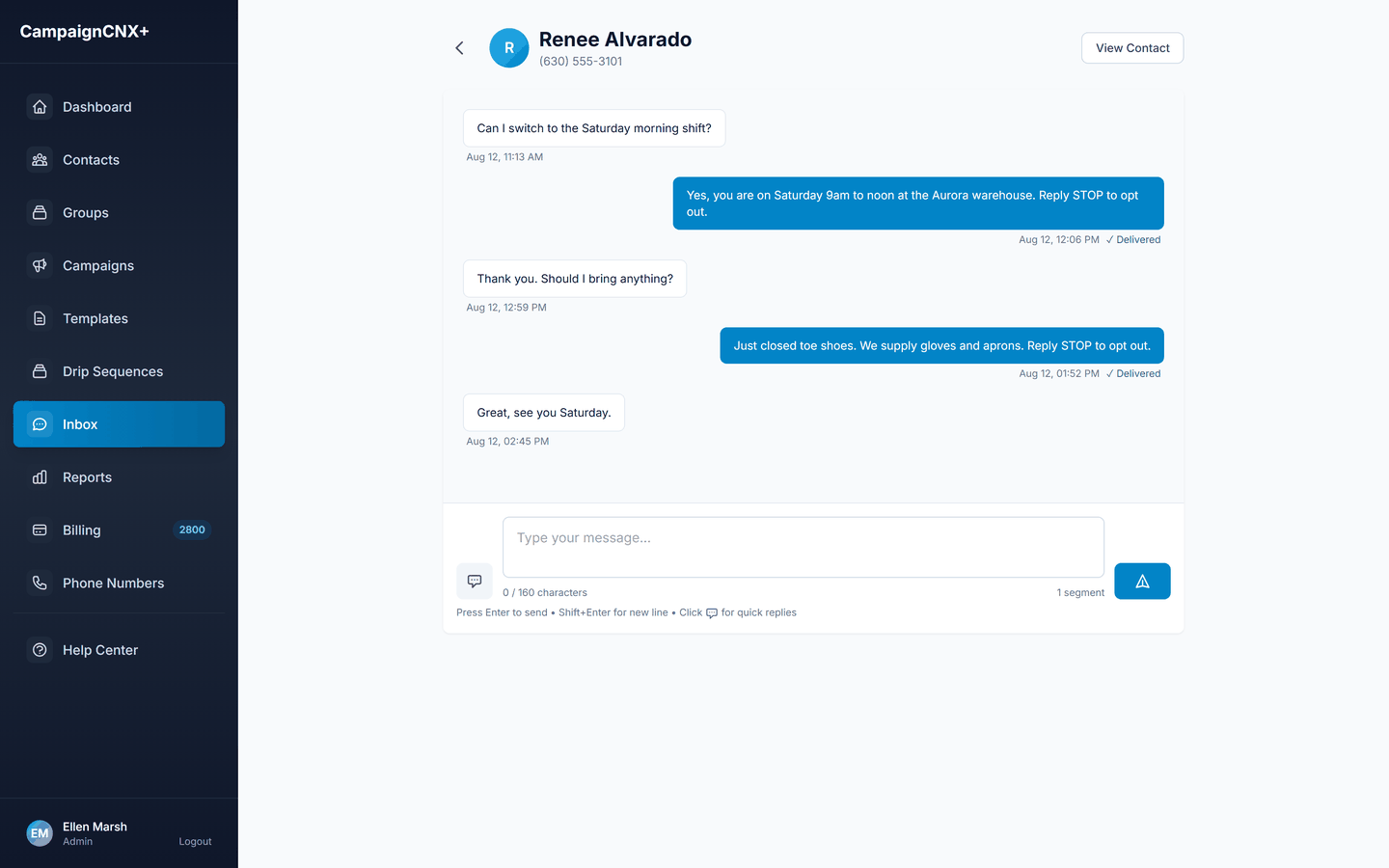
Volunteer coordination
Text the roster, count the YES replies in an inbox the coordinator already checks, and know the real number the night before instead of at 8:05 in the morning. You get 100 free SMS, there is no monthly plan fee, and your number is $5 a month.
Congregations
A church works to a weekly schedule, which shapes how it uses texting. Most of its messages are not about fundraising. They carry information the congregation needs before Sunday.
Prayer chains need this care because a prayer request often describes someone's medical situation, family crisis, or job loss. Sending that to a few hundred phones discloses private information, whether or not anyone intended it. Two habits prevent this. Keep the prayer chain as its own opt-in list rather than texting everyone on the roll, and send nothing without the person's permission, using only the detail they chose to share. A line such as "Please pray for the Kim family this week" belongs in a text, but a diagnosis does not, unless the family asked for it to be shared.
Churches with several sites, or with a separate school or food pantry, usually want a separate number for each at $5 a month. The congregation recognizes the church number, the pantry has its own number, and neither list receives the other's messages.

Who uses nonprofit SMS
A community food bank and a regional church send the same three kinds of messages: donor appeals, volunteer rosters, and community alerts. The platform works for both, and neither pays for features built for the other.
This includes year-end giving, Giving Tuesday, matching-gift windows, and capital campaigns. Appeals go to the phone because that is where people see a deadline in time to act on it.
Service reminders, small-group coordination, prayer chains, and tithe appeals. One number represents the whole congregation, with sub-lists for each ministry and program.
Common mistakes
Almost none of these are software problems, so a better platform will not fix them. They are decisions, and each one can be reversed.
All of these mistakes have the same cause. Texting fails when an organization uses it as a cheaper way to broadcast appeals, and it works when it is used to send one useful fact to one person at the moment they can act on it.

| Budget
Pricing is published and there is no contract. Pay-as-you-go is $0.06 per SMS and $0.18 per MMS with no monthly plan fee. Plans include a monthly message allowance at a lower rate, and messages beyond the allowance are billed at the overage rate: Basic at $55 a month with 1,000 included and $0.055 overage, Pro at $225 with 5,000 included and $0.045 overage, Enterprise at $695 with 20,000 included, $0.035 overage, two-way messaging included, and five team seats. Each phone line is $5 a month. Data lookups are $0.015 each. 10DLC carrier registration is a one-time $75 fee.
Budget by the number of messages rather than the number of people, because you are billed per message. Here are three examples based on typical nonprofit programs:
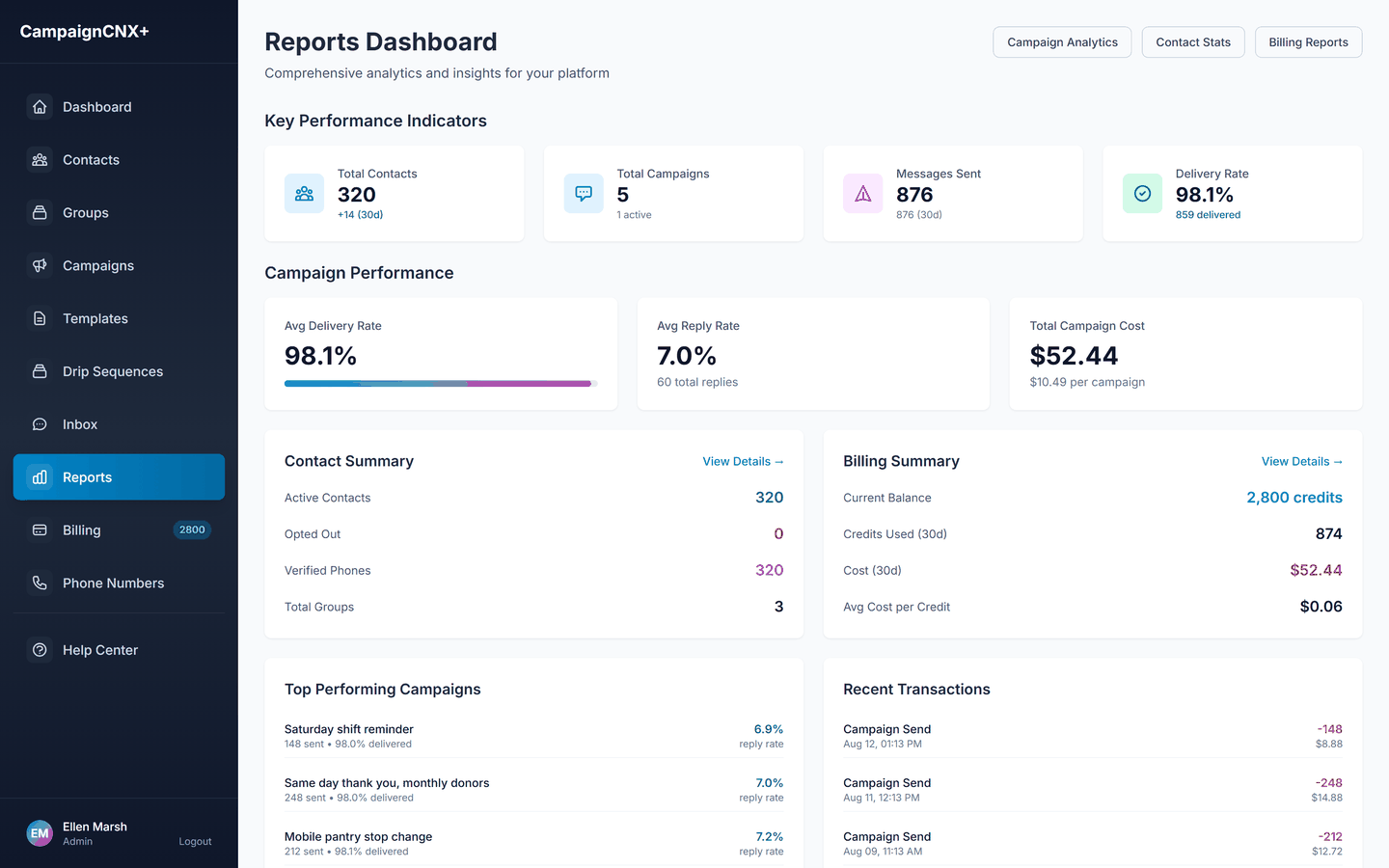
A board will usually ask how texting compares with direct mail, and you already know your own mail costs better than any vendor does, including printing, envelopes, the mail house, and postage per piece. Compare your real cost per letter with $0.06, keeping two caveats in mind. A letter reaches a household whether or not anyone consented, while a text reaches only people who opted in, so mail reaches more people. A letter can also tell a story, while a text is best for a deadline. The two work together rather than replacing each other, because a text reminder that arrives while the envelope is still on the counter helps the mail piece succeed.
Message length affects this budget more than the choice of plan. A 190-character message bills as two segments, so a 6,000-message program becomes 12,000 messages. Removing three words from an appeal can be worth more than any volume discount on the page. The full plan comparison and add-on rates are on the pricing page. You can switch plans between billing cycles without talking to sales, which helps when your volume triples for one month each year.
Take it to the board
Rates are published, there is no contract, and you can move between plans when your volume triples for one month a year. Open an account with 100 free SMS included (your number is $5 a month), and put a real per-campaign number in the packet.
Afterward
The most expensive habit in nonprofit data is letting a list built for one campaign go unused and then rebuilding it from scratch the next year. Do four things in the week after a giving day or an appeal closes:
One caution applies to organizational change. If the organization changes through a merger, a new fiscal sponsor, a chapter joining a national organization, or a program becoming its own 501(c)(3), you need to revisit consent. Consent given to the organization people knew does not automatically transfer to the one that now holds the list. Treat it as a new program and ask for opt-in again, which is slower but considerably less expensive than the alternative.
Recurring stewardship (the thank-you sequence, the monthly message with no request, and the pledge reminder cycle) is worth setting up once so that it runs on its own, rather than rebuilding it every quarter. That is what text message automation handles.
Setup plan
Steps one through four can be done in an afternoon. Organizations often skip step three, and it causes problems for them in November.
A toll-free number is the fastest way to start, and carrier verification takes about three business days. Start on the free trial, which includes 100 free SMS with no monthly plan fee. Your number is $5 a month.
The carriers review your 10DLC registration while you send from your toll-free number. Registration carries a one-time $75 carrier fee, and the review takes time you do not want to spend waiting in late November.
Add plain SMS opt-in language to the giving form, event registration, volunteer application, newsletter signup, and membership card, naming who will text and about what.
Set donor tier, volunteer role, ministry or program, and consent source at import. Retagging 3,000 contacts by hand in December takes someone a full week.
Use the trial credits to catch a broken merge field, a broken giving link, or a two-segment message before 2,000 donors see it.
Give development, volunteers, and community each their own number and sending schedule at $5 a month. This is the least expensive fix for the most common complaint.
Put December 31 on the calendar first, then Giving Tuesday, then the matching-gift windows, and then fill in regular messages with no request back to today. If you plan forward from today, you run out of room at the end of the year.
Decide this before the first real send, because replies arrive within minutes and should not wait for the next staff meeting.
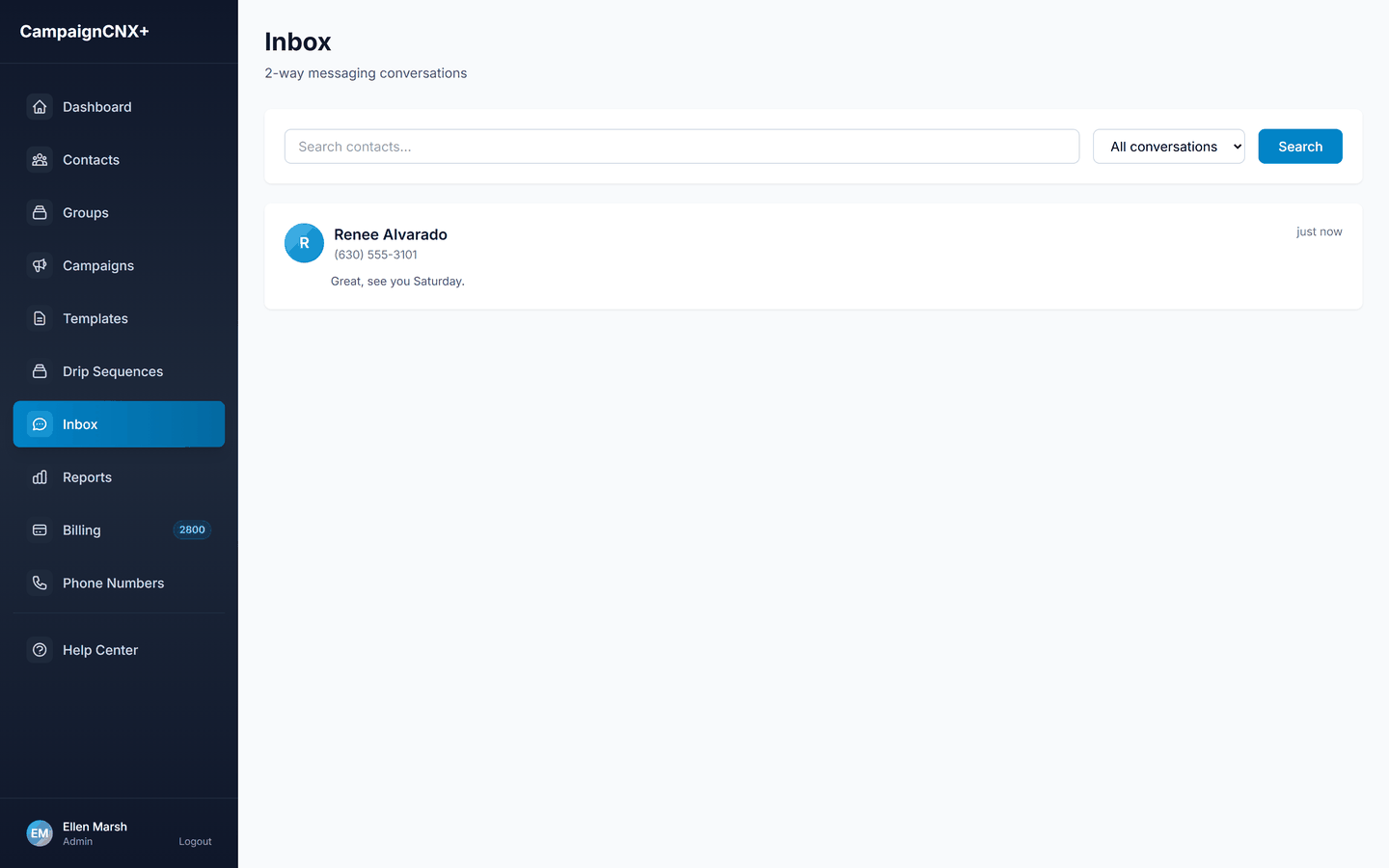
A note on our products may help you choose the right one. CampaignCNX+ is the messaging platform. Alma is our website chatbot, which answers questions on your site and serves a different purpose. Beacon is for field operations, such as canvassing and assigning turf (the area each volunteer covers). If you need texting, CampaignCNX+ is the right product.
Nonprofit SMS FAQ
Yes, the TCPA (the federal Telephone Consumer Protection Act) applies to nonprofits. The rules contain a few narrow exemptions that are often quoted out of context, and none of them gives a charity general permission to text anyone it wants. Treat consent the same way any other sender would, by asking whether this person agreed, in a way you can show, to receive text messages from your organization at this number. The platform enforces the rules that apply when messages are sent (STOP, HELP, and UNSUBSCRIBE at the account level, quiet hours, and permanent opt-out flags). Your organization is responsible for collecting consent, and your counsel is responsible for deciding which exemption, if any, you are relying on.
A number in a donor record tells you the donor gave you a way to reach them. It does not by itself establish that they agreed to automated text messages from you. Most organizations solve this by adding SMS opt-in language to the giving form, the event registration, the volunteer application, and the newsletter signup, and then building the texting list from that date forward. The same caution applies even more strongly to a list you bought, rented, swapped with a partner organization, or inherited from a fiscal sponsor. Whether an existing record qualifies is a question for your counsel, and it should be settled before the import rather than after a complaint.
Pricing is the same for every sector, and for most nonprofits that is the better arrangement. Pay-as-you-go is $0.06 per SMS with no monthly plan fee, no per-user seat charge, and no contract, so a small organization pays little more than its $5 monthly number during the ten months of the year when it is not running an appeal. There is no minimum to negotiate and no annual commitment for a board to approve.
The cost depends on the number of messages, not the number of people. A 5,000-contact list with two sends before the day and three sends on the day is 25,000 messages. On pay-as-you-go, that is $1,500 at $0.06. On Enterprise, it is $695 for the month plus 5,000 overage messages at $0.035, for a total of $870, or about 17 cents per contact for the whole five-message program. Message length changes that number more than the plan does, because any message longer than 160 characters bills as two segments.
Yes, at $5 per month per extra line. Development, volunteer coordination, and a specific program or ministry can each send from their own number under one billing account, with separate lists and separate reporting. This is worth the $5 because people recognize the number as the sender, and mixing a fundraising appeal into the volunteer shift messages is the fastest way to lose volunteers.
A toll-free number is the fastest way to start, and it completes carrier verification in about three business days. 10DLC registration lets you send the most messages in the shortest time and gives your messages the best long-term chance of reaching people's phones. It involves a one-time $75 carrier registration fee plus carrier review time. Start 10DLC at least a month before a giving day, and send from your toll-free number while the carriers review it. The bigger limit is usually the list rather than the number, because an opt-in list takes months to build, and no vendor can build it for you in November.
Yes, on every plan. An MMS (picture message) uses 3 message credits, so it costs $0.18 on pay-as-you-go, $0.165 on Basic, $0.135 on Pro and $0.105 on Enterprise. Check the cost before you use MMS widely. One MMS to 2,000 people is $360 on pay-as-you-go, compared with $120 for the same people in plain SMS. Use MMS when the image carries the message, such as a photo from the build site or a thank-you card, and use plain text everywhere else.
Yes. You start with 100 free SMS. You do not need a card to sign up, only when you choose your sending number, which is $5 a month. The free messages are enough to test a merge field and a template on your staff and board before a donor list sees them.
Export the message history, the consent records, and the per-campaign cost for the board packet and the annual report. Keep the opt-out list permanently, because it is worth more than the contact list. Opt-outs stay flagged on the account and are removed from every future send automatically. Then keep the number active by sending something that is not a request for money roughly once a month, so people still recognize you the next time you need them. If a list hears nothing for eleven months and then receives a December fundraising message, many people on it will opt out.

Start sending
The fastest way to start is with a toll-free number. Purchase a phone number and import your donor or volunteer list. After carrier verification, which takes about 3 business days, you can send your first appeal or shift reminder. For organizations running a year-end appeal or a giving-day campaign, we recommend 10DLC carrier registration. You can send from your toll-free number while the carriers review it.