SMS marketing platform features
The CampaignCNX+ SMS marketing platform is built around four connected tools: contact management for your subscriber list, a campaign composer for bulk SMS and MMS, a two-way texting inbox for replies (an add-on, included on Enterprise), and TCPA compliance checks (the federal rules for marketing texts) on every send. You do not need separate integrations, an enterprise tier for basic features, or a compliance add-on from another vendor.
01 | Contacts
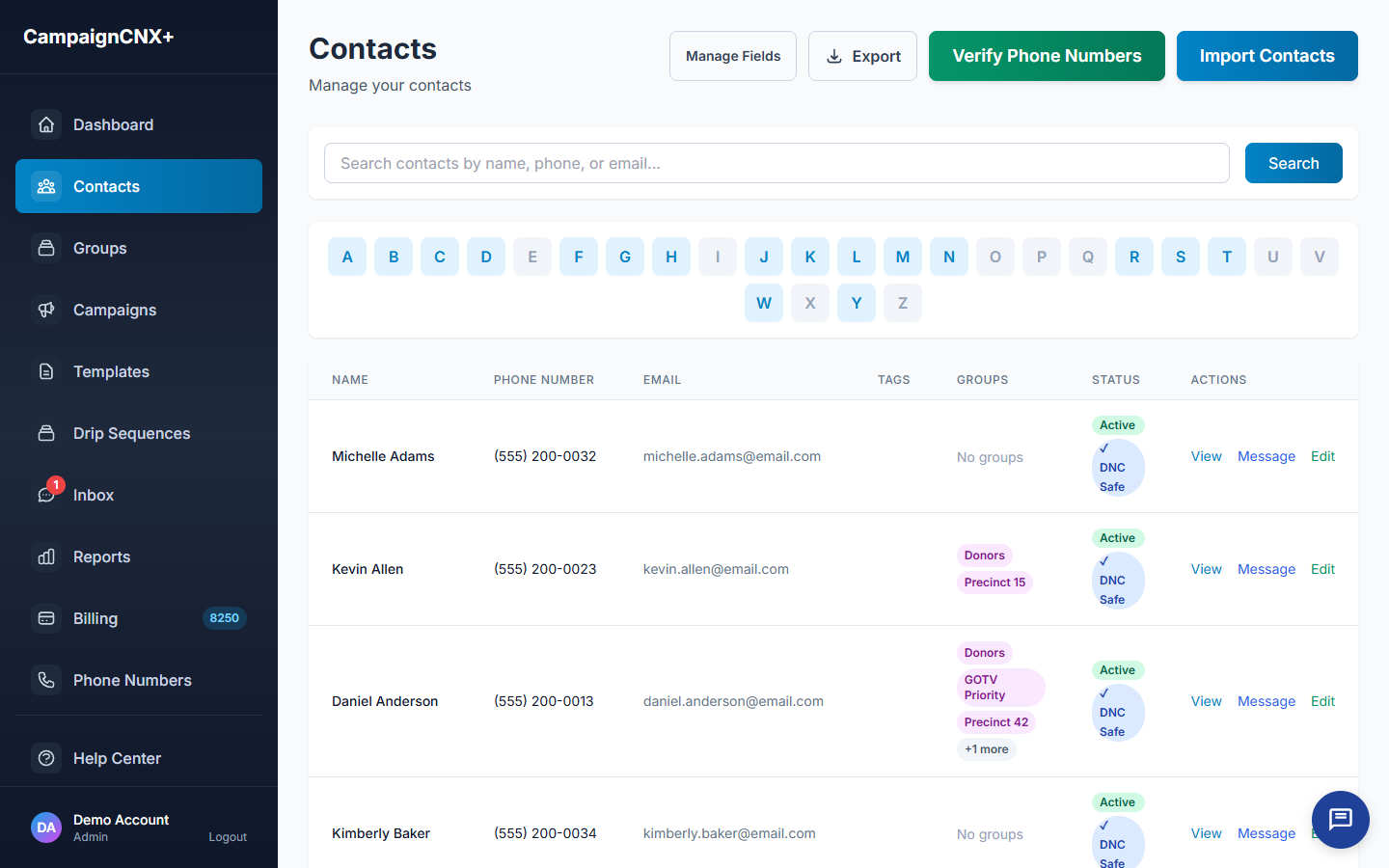
Import a CSV, match the columns to fields, verify the phone numbers, and tag your contacts the way your program organizes them, such as by precinct, donor tier, customer group, or any category your team needs. Contacts who have opted out or are flagged Do Not Call (DNC) keep that status, so your subscriber list stays accurate between sends.
02 | Campaigns
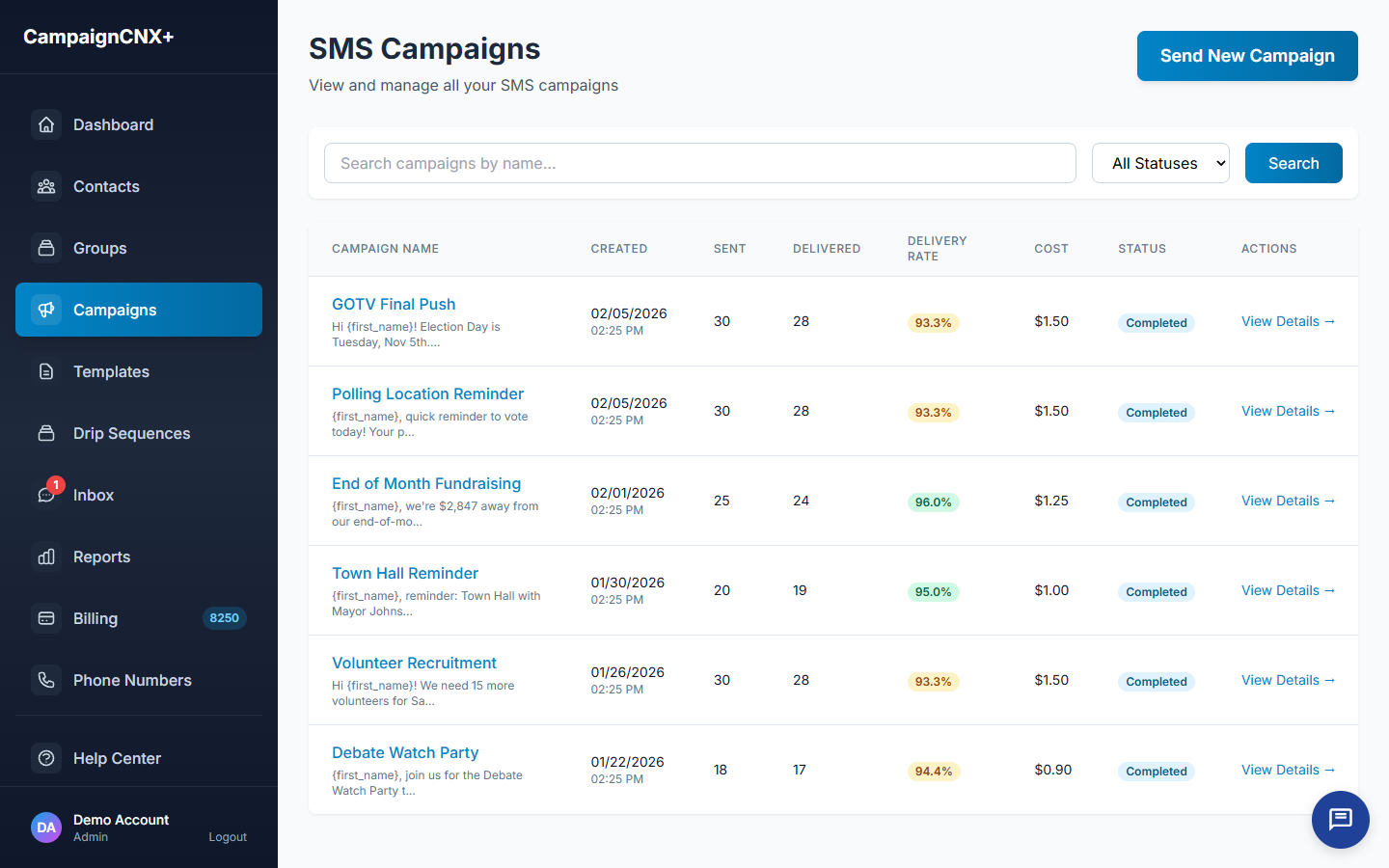
Choose SMS or MMS (a text with an image), pick one or more groups or individual contacts, and write the message with merge fields, which fill in details such as each person's first name. Review the cost and a live preview, then send now or schedule it for a future date. The steps are the same whether you are texting 200 precinct captains or 40,000 former customers.
03: Two-way reply
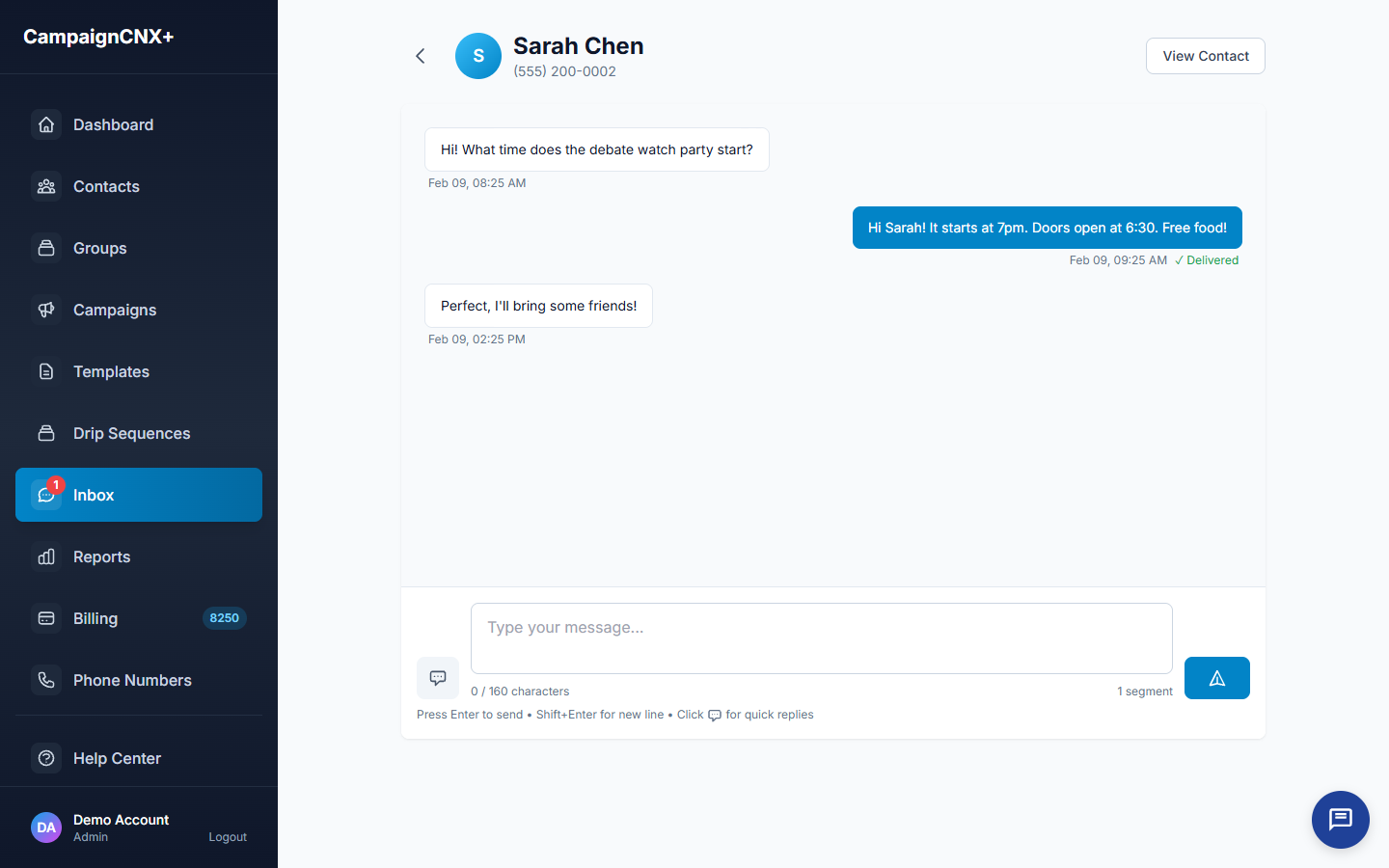
When a voter asks where to vote, a customer asks about hours, or someone replies STOP, the message appears in one conversation thread for that contact. The thread shows the full message history, including the campaign text that prompted the reply, and the contact's tags and notes are one click away on the contact page. Two-way texting is an add-on at $12.49 a month and is included on the Enterprise plan.
04 | Reports
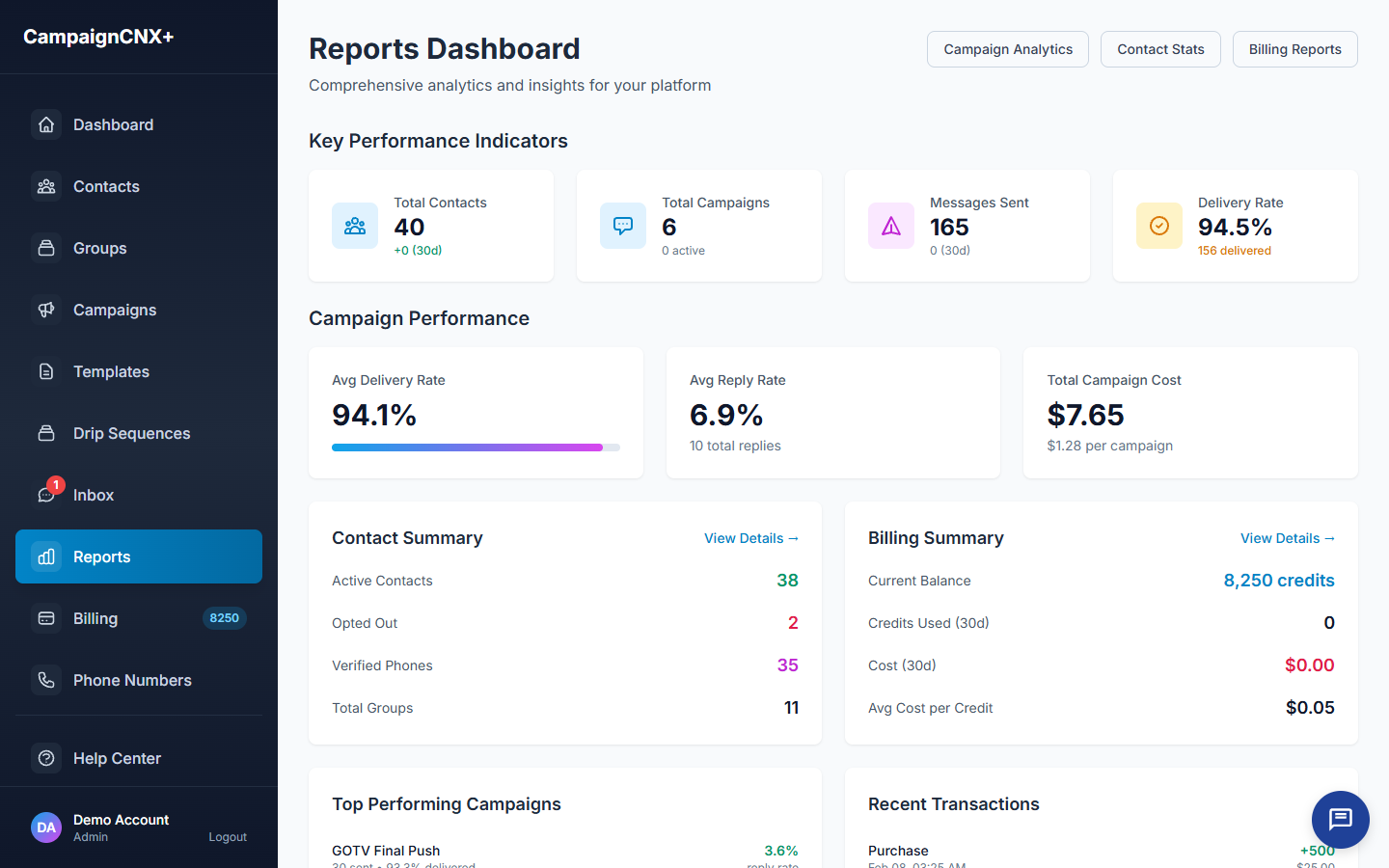
Reports show delivery rate, reply rate, and cost for each campaign, along with the share of your contacts who have opted out, arranged the way a campaign manager or marketing director reviews a program.
How a campaign goes out
You use the same four screens every time, with one final review, one send button, and a single entry in your billing history for each campaign.
Pick SMS or MMS, and see the credit cost per segment before anything else.
Choose one or more groups, or pick individual contacts. Contacts who opted out or are flagged DNC are left out automatically when the campaign sends.
Write the message with merge fields while a live segment count updates. The composer checks for STOP opt-out language before the campaign can go out.
Check the recipient count, the estimated cost, and the message, then send now or schedule for later.
TCPA compliance
/01
As an add-on, you can run any list against the federal DNC registry through DataZapp. You pay only for the numbers you check.
/02
We honor STOP, UNSUBSCRIBE and the other opt-out words immediately across your account and answer HELP automatically, so you do not need to maintain the opt-out list by hand.
/03
A toll-free number completes carrier verification in about three business days. For serious programs, we recommend 10DLC registration (a local number registered with the carriers for business or campaign texting). We submit it at the same time, and you can send from the toll-free number while the carriers review it.
/04
We limit sending to set hours in each contact's time zone, so a campaign scheduled in the wrong zone will not text anyone at 3 a.m.
Go deeper
Each of the four core capabilities has its own walkthrough for teams that want to read the fine print before opening an account.
Broadcast
Bulk SMS with merge fields, scheduled campaigns, and cost visibility before the message goes out.
Inbox
One conversation per contact, with the full history and campaign details in one thread.
Automation
Scheduled campaigns, keyword auto-responses, and automatic quiet hours.
Compliance
Opt-outs, DNC lookup, time-zone sending windows, and 10DLC registration, all handled by the platform.
Start sending
The quickest start is a toll-free number. Open an account, pick a verified phone number, import your contact list, and send after carrier verification, which takes about three business days. For sustained programs, we recommend 10DLC carrier registration for reliable long-term delivery. We submit it at the same time, and you can send from the toll-free number while the carriers review it.