Two-way texting and shared SMS inbox
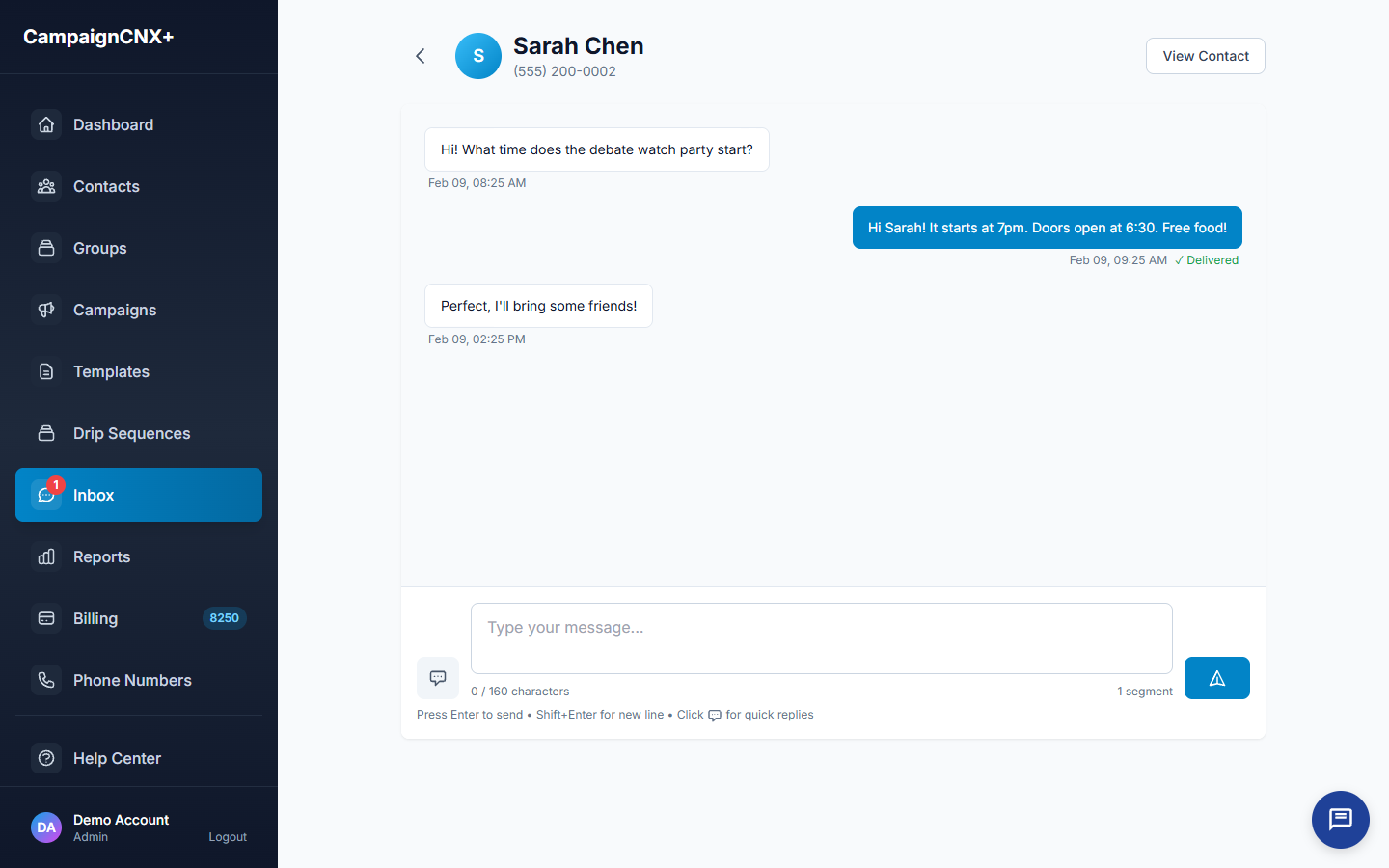
When a voter asks where to vote, a customer asks about store hours, or a donor replies to a thank-you message, the reply arrives in one shared SMS inbox, attached to that contact, with the full conversation history and every tag visible alongside it. Two-way texting is a $12.49/month add-on and is included on the Enterprise plan.

01 | Unified SMS inbox
If a voter replied to three different GOTV (get-out-the-vote) messages, all three replies appear in one conversation, with timestamps, the campaign each message came from, and any tags attached. You do not have to search several inboxes or piece the context back together.
02: Contact context
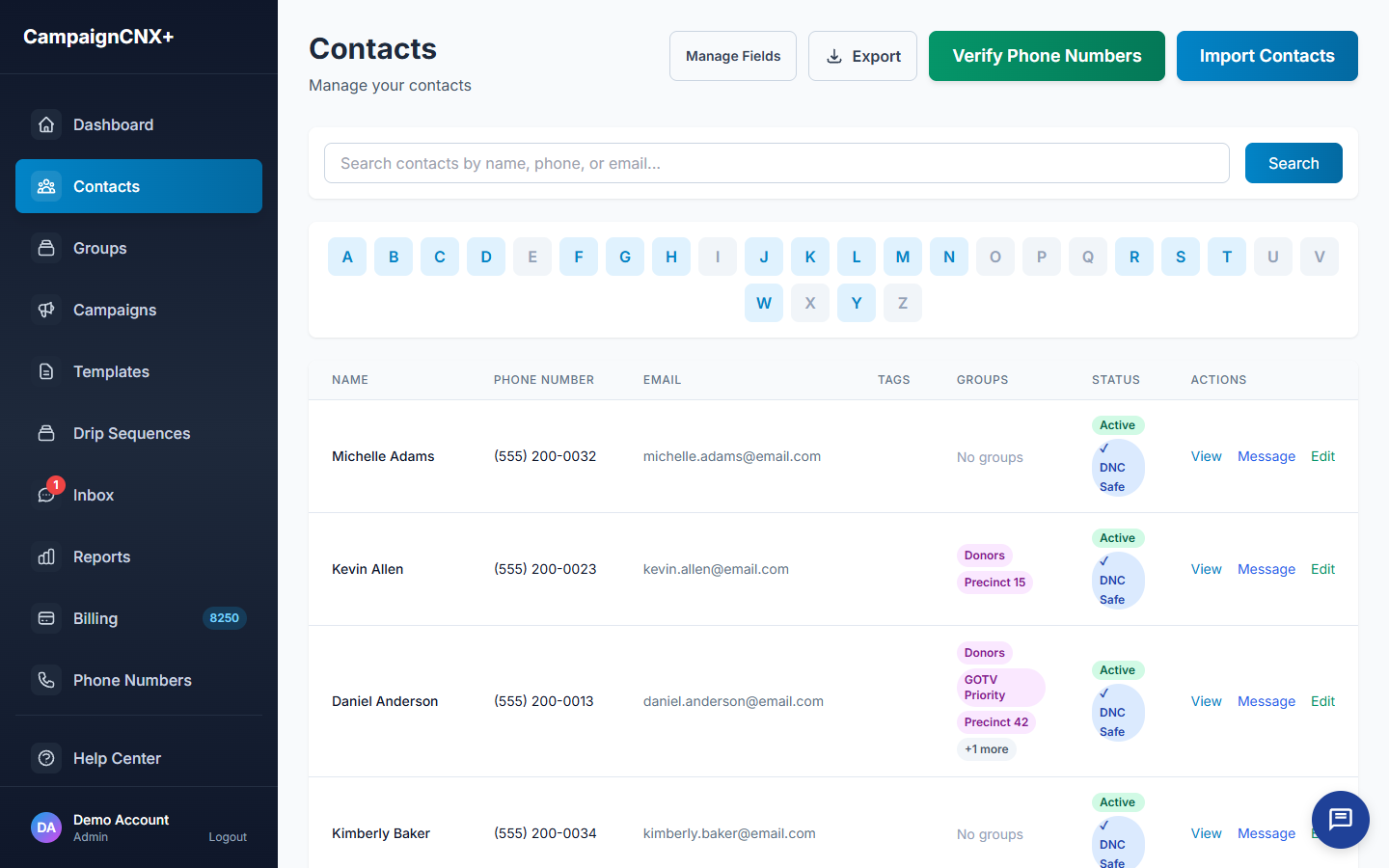
The contact profile sits beside the thread, so tags, groups, custom fields, DNC (Do Not Call) status, opt-in source (where the person signed up), and notes stay visible while you type the reply. The person replying does not have to guess, and a teammate who takes over a conversation starts with the full context.
03: Automatic opt-out handling
When someone replies STOP, UNSUBSCRIBE or another opt-out word (with or without the two-way add-on), the platform honors it immediately. The contact is removed from every future send, a confirmation goes out, and the audit trail records it. A HELP reply gets an automatic message with your business name, how to reach you and how to stop. You never keep an opt-out list by hand.

Two-way texting use cases
A broadcast goes from you to many people at once, while a two-way SMS conversation is between you and one person. Two-way texting is the right tool whenever the customer's reply matters as much as the message you sent.
When a voter asks a question, a canvasser asks for a shift swap, or a donor wants a receipt, a live conversation works better than a second broadcast.
Customers get an answer faster than by email and without waiting on hold. Two-way texting handles the questions that come in after a broadcast.
TCPA compliance, built in
/01
We honor inbound STOP, HELP, and UNSUBSCRIBE immediately, whether or not the add-on is enabled.
/02
The platform sends the opt-out confirmation reply automatically, so there's no manual step to forget.
/03
We log every inbound message, outbound message, opt-in, and opt-out with a timestamp and its source.
/04
Replies you send still follow quiet hours based on each contact's time zone, so replying from the inbox cannot get around them.
Two-way texting FAQ
Two-way is a $12.49/mo add-on on Pay-as-you-go, Basic, and Pro, and it's included on Enterprise at no extra cost.
You don't need it. We handle STOP, HELP, and UNSUBSCRIBE platform-wide, even without the two-way add-on. The add-on gives you the inbox and the ability to reply to regular messages.
Yes, and the number of included seats depends on your plan: 1 on Pay-as-you-go and Basic, 2 on Pro, and 5 on Enterprise. Additional seats are $25/user, and everyone on the account sees the same threads.
Messages you send count against your plan (or bill per segment on Pay-as-you-go). Messages you receive don't use up your included SMS. The add-on fee covers the cost of running the inbox.
If someone texts you at 11 p.m., the reply you write still follows the recipient's local quiet-hours window. It waits in a queue and is delivered when sending is allowed.
Two-way SMS means the same phone number that sends your campaigns also receives replies, and those replies are routed into a threaded inbox tied to the contact who sent them. The alternative is one-way (broadcast-only) SMS, where incoming texts are discarded or sent to an address nobody reads. Two-way is what lets a customer ask "what time do you close?" and reach a person instead of getting no answer.
Group texting (iMessage-style "everyone replies to everyone") is built for small social groups. It does not work for large lists, has no way to record consent, and is not safe for marketing under the TCPA (the federal Telephone Consumer Protection Act). Business two-way SMS sends one message to many people (each recipient gets a private thread), and each reply comes back one-to-one (it arrives only in your inbox, not in a group). Each conversation stays private between you and that one contact.
Yes, the inbox is account-wide: every seat on your account sees the same threads, the same contact history, and the same tags. Pro includes 2 seats, Enterprise includes 5, and extra seats are $25/user. Assignment, read and unread status, and notes on each thread are handled in the platform, so several people can answer different threads at the same time without getting in each other's way.
The inbox is the main place to read replies, but notifications of new replies can go to one designated email address per account. Webhook export (sending replies automatically to another system) is on the roadmap. Most teams just leave the inbox open on a second monitor or check it the way they check email.
Start sending
Start with a toll-free number. Open an account and add the two-way SMS inbox add-on. Once the phone carriers verify your number, usually in about three business days, replies arrive in a threaded inbox. For teams that receive a steady volume of replies, 10DLC carrier registration (for a registered local number) is the recommended long-term path. We submit it at the same time, and you can send from your toll-free number while the carriers review it.