
To text voters, a campaign needs four things, set up in this order: a committee registered with an election authority, with an EIN (its federal tax ID number); a Campaign Verify token, which confirms to the mobile phone companies that you are a real campaign; a registered texting number; and a list of people who agreed in writing to receive your texts. Then you send short messages that name your campaign, go out only between 8 a.m. and 9 p.m. in the recipient's time zone, and stop as soon as someone replies STOP.
The most important rule is about consent. The mobile phone companies, called carriers, require opt-in for application-to-person texting, meaning texts sent through a texting service rather than typed one by one on a personal phone, and political texting is included. A voter file, a petition or a conversation at the door is not consent unless the person agreed to texts in writing and the date is recorded. This guide walks a first-time campaign through each step. For an overview, see our political texting guide.
Step 1: Decide who is sending
Every campaign text comes from an organization, and the carriers need to know which one. Most local campaigns send as a candidate committee, a party organization (such as a county or township party committee) or a political action committee (PAC). Each of these is usually a 527 organization, meaning a political group organized under Section 527 of the federal tax code, and Campaign Verify is built for these committees.
A candidate with no committee, a sole proprietor and an individual texting on their own behalf cannot be verified. If that describes you, form a committee, or send through a verified organization's own account to that organization's opted-in supporters.
Decide now which name voters will see. The committee name on your filings, on your texting registration and in your messages should match. Do not text large numbers of voters from a personal phone, because doing so skips the registration the carriers require.
Step 2: Register the committee and get an EIN
How a new number gets approved
- Open your account100 free SMS included
- Buy your number$5 a month. Nothing sends until the account has one.
- Verify your campaignCampaign Verify, $95 per two-year cycle. Needs your committee's EIN and filing.
- We file the registrationToll-free verification, or 10DLC for a local number ($75 one time)
- The carriers review itAbout three business days for a toll-free number
- Send your first textStart with a small test group
Campaign Verify is available to a committee registered with an election authority. Your election authority, such as your state election office or your county or city clerk, can tell you whether and when your campaign must register a committee. Those rules vary by state and office. Once the committee is registered, get an EIN for it from the IRS.
Then check two things on your committee filing:
- Is it published online? Campaign Verify checks your committee against an election-authority filing that is published online. Many local committees file on paper with a county or city office, and those filings are not always posted. If yours is not online, contact Campaign Verify Support before you request verification, and ask how they handle it.
- Are the contact details current? Campaign Verify sends its PIN (the code that completes your request) only to the contact details on that filing. By email or text the PIN arrives quickly. By mail it takes 5 to 10 business days.
Step 3: Get verified through Campaign Verify
Campaign Verify is the check the carriers use to confirm that a political sender is a real, registered campaign. It is needed for political texting by a 527 committee, whether a candidate, party or PAC. It costs $95 per two-year cycle and needs an EIN and an election-authority filing that is published online. Candidates with no committee, and sole proprietors, are not eligible.
The date of your request matters. Requests made before November 15, 2026 expire January 31, 2027. Requests made on or after November 15, 2026 last until January 31, 2029.
When the request is complete, you have a token, a code that tells the carriers your messages come from a known political sender. You buy the $95 token from Campaign Verify, and CampaignCNX+ files it with your carrier registration. Request the token for the kind of number you use, 10DLC or toll-free, because Campaign Verify issues a separate token for each. Campaign Verify decides eligibility, so no texting service can promise that your committee will qualify. Our post on Campaign Verify for local candidates covers the request in more detail.
Step 4: Choose a number and register it

Campaign texts go out from a registered number, and you have two choices.
A local-style number (10DLC). 10DLC is the carrier registration for texting from a standard local phone number with a local area code. In CampaignCNX+, 10DLC registration is a one-time $75 for your first local line.
A toll-free number. A toll-free number goes through its own carrier review instead. That review usually takes about three business days.
CampaignCNX+ files either registration for you, with your Campaign Verify token. Your number is $5 a month on every plan. A new pay-as-you-go account gets 100 free SMS, usable once your number is bought and approved, so open your account early and start the registration while you build your list.
Step 5: Build a list of people who agreed to your texts
What counts as consent
Base your texting on prior express written consent. That means each person agreed in writing, before your first text, to receive texts from your campaign at that phone number. Record the date they agreed and where. Common ways to collect it:
- A sign-up sheet at events, coffee meetings and doors, with wording that says plainly what people are agreeing to.
- A form on your website with the same wording.
- A keyword. A supporter texts a word you choose to your number to join your list, which gives you a written, dated request. Keywords are an add-on in CampaignCNX+.
Sample sign-up wording, followed by lines for the name, the phone number and the date:
Yes, text me campaign updates from Friends of Jordan Lee at the number below. Message frequency varies. Message and data rates may apply. Reply HELP for help. Reply STOP to opt out.
What does not count
None of the following is consent to receive texts on its own:
- A voter file, or a purchased or borrowed list, even one from your election authority or your party.
- A petition signature. A petition or sign-in sheet counts only if the sheet says plainly that the person agrees to receive your texts, and the date is recorded. Our explainer on texting the people who signed your nominating petition covers this case.
- A conversation at the door. If someone at the door says they would like updates, ask them to sign your sheet, and record the date.
- A phone number someone gave you for another purpose, such as a volunteer form that did not mention texts.
The FCC rule you may have read about
You may see advice saying the FCC requires consent to be given to one sender at a time. That rule never took effect. A federal appeals court vacated it on January 24, 2025, and the FCC removed it in August 2025. Written consent for your own campaign, recorded with a date, remains the standard to follow.
Keep the record with the contact
In CampaignCNX+, put supporters in groups and tags, such as "doors" or "volunteers," and record each person's consent date and source in a custom field.
Step 6: Write the first message

The first text each person receives should do three things: say who is texting, remind them why, and tell them how to stop. Keep it under 160 characters. Texts are priced per SMS segment, and a longer message can use more than one.
Hi [First Name], this is Jordan Lee, running for City Council. Thanks for signing up at the town hall. I will text a few key updates. Reply STOP to opt out
Identify the sender. Use the candidate's name or the committee name in the first message, and in any later message that could be read without context.
Use merge fields. A merge field such as first name fills in each person's name from your contact list.
For more ready-to-use wording, see our 25 campaign text templates for local races.
Step 7: Plan your follow-ups
Text when you have a reason, such as an event, a volunteer shift, a registration deadline, early voting or Election Day. Each message should name the campaign and give a date, a place or a clear request.
Friends of Jordan Lee: early voting opens Monday at the county building. Can we count on your vote? Thank you.
In CampaignCNX+, you can schedule texts in advance, set repeating texts, and build a drip sequence, which is a series of texts sent on a schedule. A drip sequence suits new sign-ups, for example a welcome text followed a few days later by a note about how to volunteer. A picture message (MMS) uses three credits. If your campaign is in the Midwest, see our Midwest texting page.
Step 8: Send only between 8 a.m. and 9 p.m.
Send campaign texts only between 8 a.m. and 9 p.m. in the recipient's time zone. Texts from CampaignCNX+ send only within that window, so plan your schedule around it. Schedule evening event reminders well before 9 p.m.
Step 9: Answer replies and honor STOP
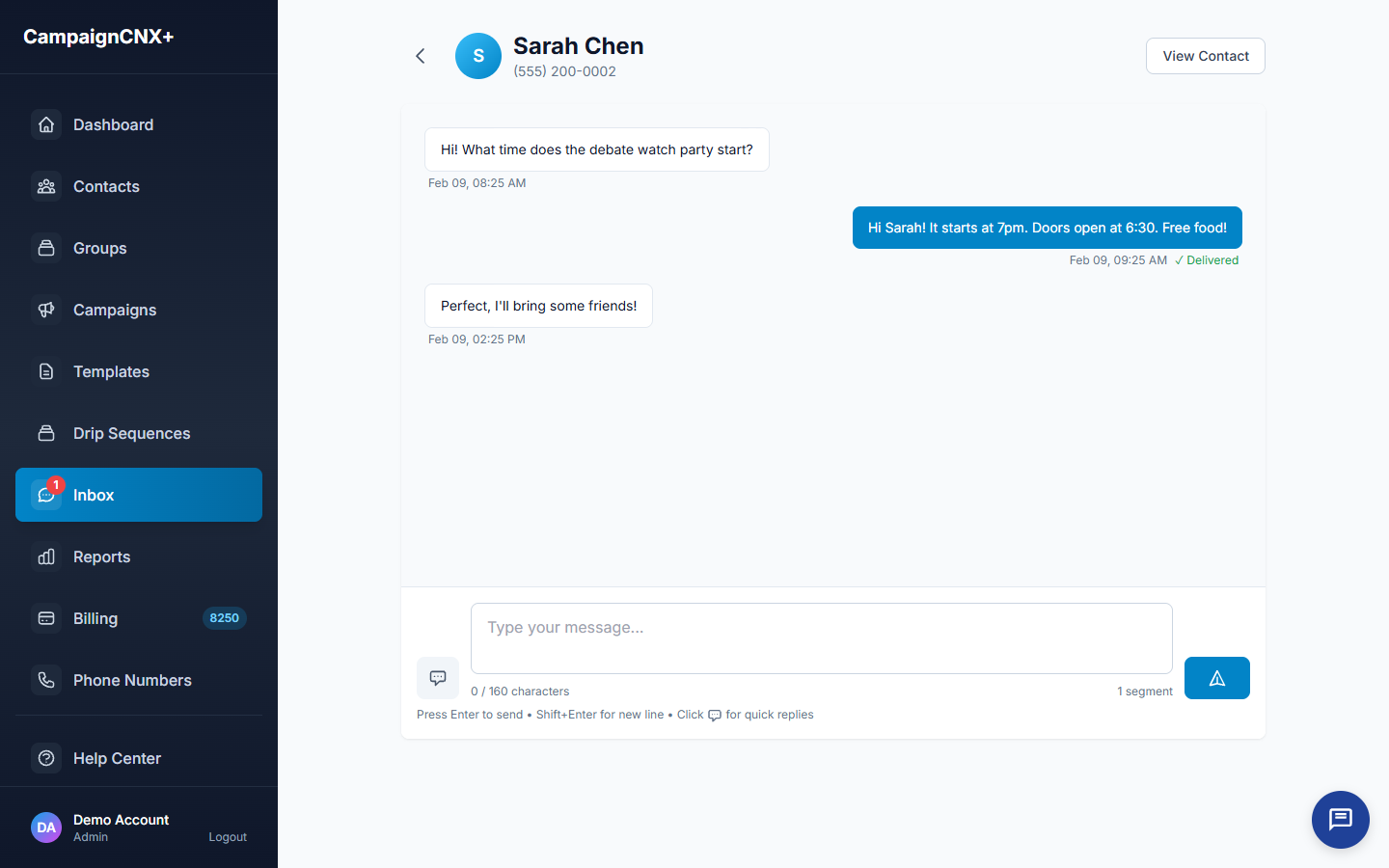
- STOP, HELP and START. CampaignCNX+ handles these replies automatically. A person who replies STOP stops receiving your texts, and can text START to receive them again. A reply of HELP gets an automatic response. Never add someone who opted out back to your list yourself.
- Plain-language requests. Some people write "please remove me" or "wrong number" instead of STOP. Treat those as opt-outs and take the person off your list.
- Questions and comments. Answer politely and promptly, and do not argue. Replies can come into a shared inbox (an add-on at $12.49 a month, included on Enterprise), so you and your team members can read and answer them (staffers see the inbox once you allow it).
A short checklist
- A committee registered with an election authority, with an EIN, and a filing published online with current contact details.
- Campaign Verify requested, and the token filed with your 10DLC or toll-free registration.
- Written, dated consent from every person on your list, with the source recorded.
- A first message under 160 characters that names the sender and ends with "Reply STOP to opt out."
- Texts scheduled between 8 a.m. and 9 p.m. in the recipient's time zone.
- STOP, HELP and plain-language opt-outs honored.
Start with the registration
The registration steps depend on other organizations, so begin them first and build your list while you wait. CampaignCNX+ files your 10DLC or toll-free registration with your Campaign Verify token, sends only within quiet hours and handles STOP, HELP and START for you. 100 free SMS included. Your number is $5 a month. Start a trial when your committee is registered.